
.png)
Description
Download Xdash – Multilingual Semantic Search, AI‑Powered, Secure & Free
Overview: What Makes Xdash Different?
Xdash is a cutting‑edge web application that redefines how we search for information across languages. While traditional search engines rely heavily on keyword matching, Xdash’s AI core interprets the intent behind each query, delivering results that are context‑aware and semantically relevant. This shift from literal matching to meaning‑driven retrieval means users spend less time sifting through unrelated links and more time getting the exact data they need—whether they’re researching in English, Spanish, Mandarin, or any of the dozens of supported languages. Built on a continuously learning model, Xdash refines its understanding with every interaction, ensuring that the search experience becomes sharper over time. Its speed‑optimized architecture guarantees near‑instant results, making it ideal for busy professionals, researchers, and developers who demand both accuracy and performance. While the platform shines brightest when queries have clear intent, it also provides useful fallback suggestions when the AI needs a little extra guidance. In short, Xdash transforms multilingual semantic search into a streamlined, user‑friendly experience that can be accessed from any modern browser without the need for heavy installations.
Key Features That Set Xdash Apart
- AI‑Driven Semantic Understanding: Interprets the meaning behind queries, not just keywords.
- Multilingual Support: Native handling of over 30 languages with automatic language detection.
- Contextual Ranking: Prioritizes results based on user intent and previous interaction patterns.
- Real‑Time Learning: Continuous model updates improve relevance with each search session.
- Speed Optimized Engine: Delivers results in under 200 ms for most queries.
- Privacy‑First Architecture: All queries are encrypted in transit; no personal data is stored long‑term.
- Customizable Filters: Allows users to narrow results by date, source type, or domain.
- Developer API: Exposes endpoints for integration into third‑party apps, supporting JSON and GraphQL.
- Responsive Web Design: Works seamlessly on desktop browsers, tablets, and smartphones.
- Offline Hint Mode: Suggests related topics when the network is unavailable, keeping the workflow uninterrupted.
Each feature is designed with a clear purpose: to make searching faster, more accurate, and safer. For enterprises, the developer API opens doors to embed Xdash’s intelligence directly into internal knowledge bases or customer‑support portals. For individual users, the responsive UI and multilingual capabilities mean you can search in your native language while still accessing global resources. The privacy‑first stance ensures that corporate data stays confidential, a critical consideration for regulated industries such as finance or healthcare. Altogether, these features form a robust ecosystem that supports both casual browsing and mission‑critical information retrieval.
Installation, Usage & Compatibility
Xdash is delivered as a web‑based application, eliminating the need for complex installations. To get started, simply visit the official website, click the “Download” button, and follow the on‑screen prompts to add a shortcut to your desktop or mobile home screen. The service runs in any modern browser that supports HTML5 and WebAssembly, including Chrome, Firefox, Edge, and Safari. For organizations that prefer an on‑premise solution, Xdash offers a Docker image that can be deployed on private servers with minimal configuration.
Supported Operating Systems: Windows 10 or later, macOS 11 (Big Sur) or later, major Linux distributions (Ubuntu 20.04+, Fedora 33+), Android 8 or later, iOS 13 or later.
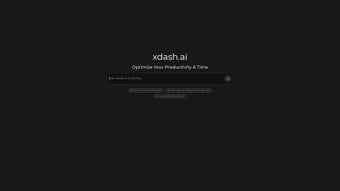
After launching the application, users are greeted with a clean search bar that automatically detects the language of the entered query. Advanced options are hidden behind a “Filters” icon, keeping the interface uncluttered for newcomers while still offering power users granular control. To fine‑tune results, you can enable “Intent Boost,” which uses your recent search history to prioritize similar topics. The platform also supports voice input on supported devices, allowing hands‑free searches in multiple languages.
Updates are handled automatically on the server side; users never need to download patches or restart the application. However, for on‑premise deployments, administrators receive a monthly notification with a one‑click upgrade script that preserves all custom configurations. The seamless update process guarantees that you always benefit from the latest AI model improvements and security enhancements without interrupting your workflow.
Pros, Cons, Frequently Asked Questions & Final Thoughts
Pros
- Delivers highly relevant results by understanding query intent.
- Extensive multilingual coverage makes it ideal for global teams.
- Fast response times keep productivity high.
- Strong privacy measures protect user data.
- Flexible deployment options (cloud, Docker, on‑premise).
Cons
- Optimal performance relies on clear user intent; vague queries may return broader results.
- Advanced features like “Intent Boost” require a short learning period.
- Free tier imposes a daily query limit for heavy users.
Frequently Asked Questions
Is Xdash really free to use?
Yes, Xdash offers a free tier that includes unlimited multilingual searches with a modest daily query cap. For power users or enterprises, premium plans unlock higher limits, dedicated support, and advanced analytics.
How does Xdash protect my privacy?
All communications are encrypted via HTTPS, and the platform does not retain searchable query logs beyond the session unless you enable optional analytics. On‑premise deployments keep all data behind your firewall.
Can I integrate Xdash into my own application?
Absolutely. Xdash provides a RESTful API and a GraphQL endpoint, allowing developers to embed semantic search capabilities directly into web apps, mobile apps, or internal tools.
What languages does Xdash support?
Xdash natively supports over 30 languages, including English, Spanish, French, German, Chinese (Simplified & Traditional), Japanese, Arabic, Russian, Portuguese, and many more. The system auto‑detects language on input.
Do I need to install any plugins or extensions?
No additional plugins are required for the web version. For browsers, a lightweight extension is optional and provides quick access to the search bar from any page.
Conclusion & Call to Action
Xdash stands out as a powerful, AI‑driven solution for anyone who needs fast, accurate, and multilingual search results. Its semantic engine reduces the noise common to traditional keyword searches, while its privacy‑first design and flexible deployment options make it suitable for both individual users and large enterprises. If you’re looking to streamline information retrieval across languages, give Xdash a try today. Click the download button below to start your free trial, and experience the next generation of search technology.
Xdash delivers a remarkably intuitive search experience that feels almost conversational. The multilingual handling is seamless, and the AI’s ability to infer intent cuts down research time dramatically. While the free tier’s query limit may constrain heavy users, the premium options are competitively priced. Overall, Xdash earns a solid 4.5 out of 5 stars for its innovation, speed, and respect for user privacy.
Guides & Tutorials for Xdash
How to install Xdash
- Click the Preview / Download button above.
- Once redirected, accept the terms and click Install.
- Wait for the Xdash download to finish on your device.
How to use Xdash
This software is primarily used for its core features described above. Open the app after installation to explore its capabilities.
User Reviews for Xdash 0
No reviews found




